 noteboard
Match the notes to the question
A question about the audience may need the customer observations and the problem you are trying to solve. A review of the overall plan may need the active board. Choose the scope according to the decision you want help with.
For personal brainstorming, you can select a few related notes and explore them closely. Include connected ideas when the relationship matters. Keeping the choice visible helps you avoid mixing a useful question with material from an unrelated branch.
Check the context before you ask
Review the compiled context and look for the background the request needs. Is the audience described? Are the relevant limits included? Does a note refer to something that only made sense in the last session? Add or clarify the detail before continuing.
A context preview is also a useful way to notice what you are leaving open. If you have several possible offers but want to discuss just one, make that choice explicit. You can return for a broader comparison once the smaller question has been explored.
The request can then stay specific: suggest alternatives within these constraints, challenge this assumption, or identify the questions these observations leave unanswered. Review the response against the material you chose.
Park notes to exclude them from this request
Park a note when it is worth keeping but belongs outside the current AI context. A future software platform can wait while you explore a service that could be tried manually. Saving the idea makes it available without treating it as part of the present commitment.
Return to parked thoughts when the question changes. The same board can support several sessions as you learn more, with different selections for each. You can continue arranging and connecting the notes manually between AI requests.
Example: focus on the first service offer
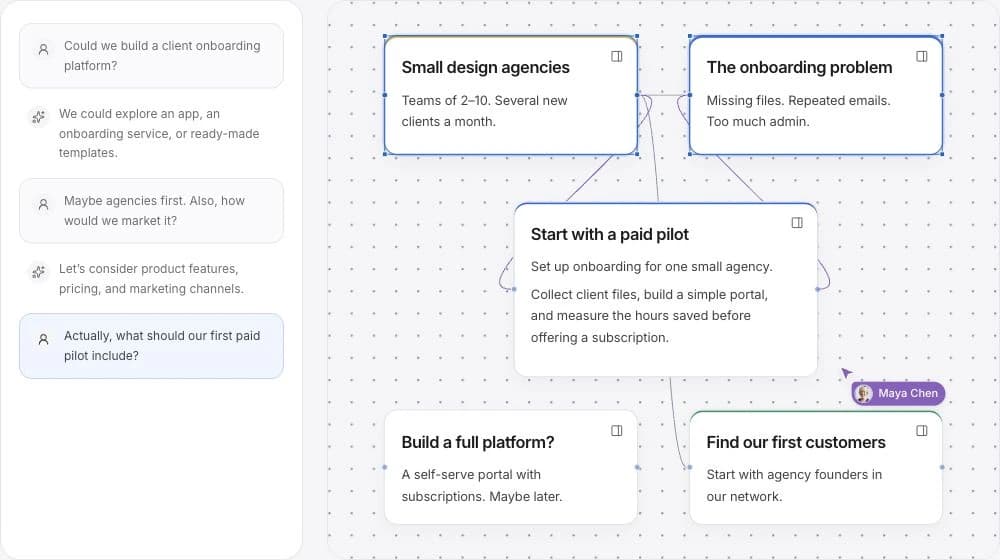
In the agency-onboarding example, the board contains customer observations, possible offers, and a future product idea. A focused session can use the first two while leaving the software discussion for another time.
The following selection gives an AI request a practical subject without asking it to plan the entire future business. You still choose which suggestions to edit and keep.
A focused request
- Include
- The customer problem, the first audience, and the limits on a manual service.
- Save for later
- The possible platform and features that depend on learning from the service.
- Ask
- Which small offer could we discuss with agency founders, and what assumption would each approach help us check?