 noteboard
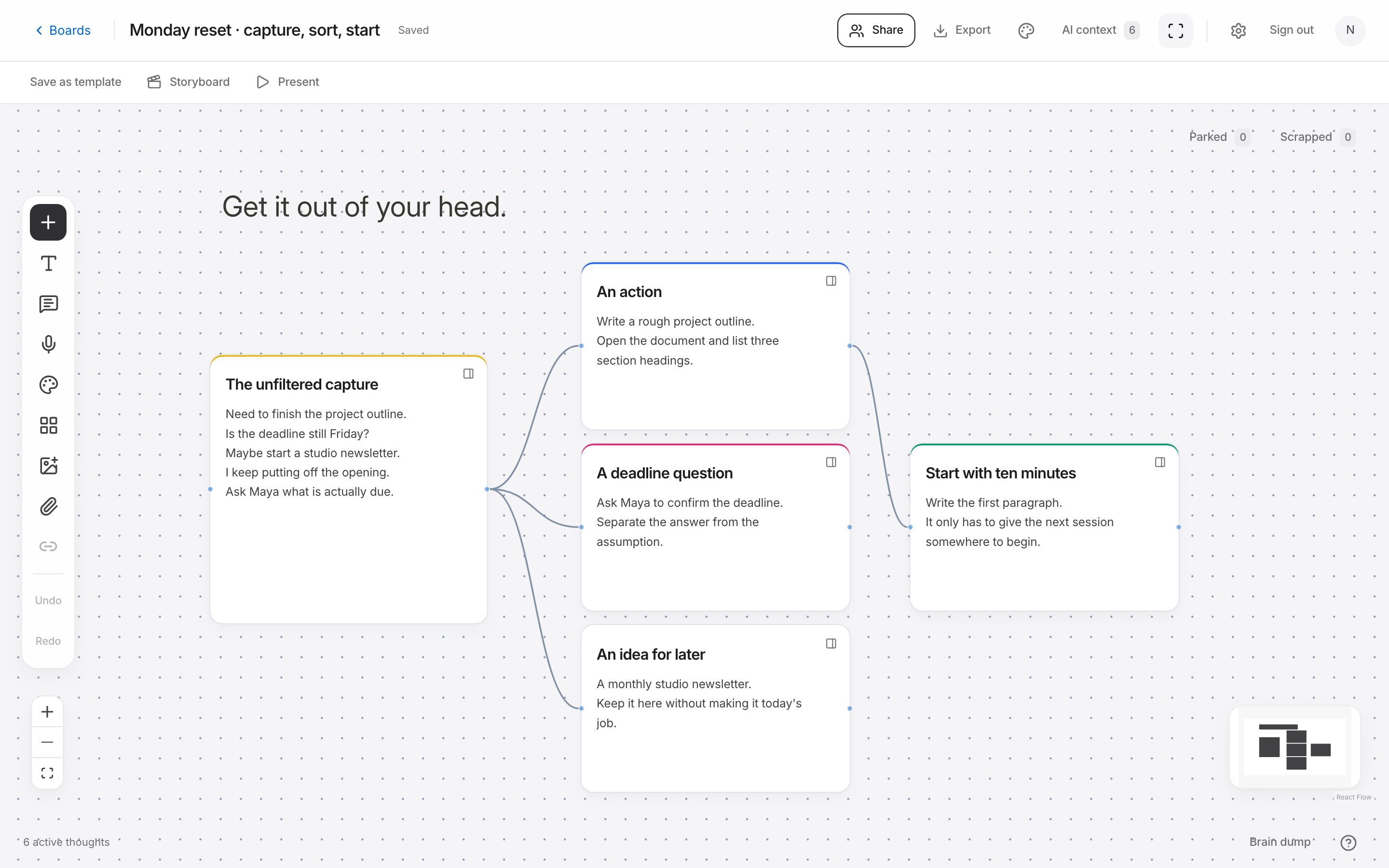
1. Write or say what is on your mind
Find a place to capture the thoughts where you can see them again. A page, a blank board, or a voice recording will do. Give yourself a few uninterrupted minutes. Five minutes is a useful starting limit if you keep putting the exercise off, but you can stop sooner or keep going if you need to.
Write in fragments if that is how the thoughts arrive. Include reminders, questions, ideas, and things you aren't sure what to do about. You can write “ask about deadline” and “maybe a different opening” without deciding where either belongs yet.
Suppose you're preparing a workshop while trying to finish an essay. Your dump might jump from a venue email to an opening paragraph to a new logo idea. Keep capturing. Sorting each item as it appears can interrupt the thought you were trying to get down.
2. Read the capture once before sorting it
Read what you've written and fill in anything that will be confusing tomorrow. “Ask Sam” needs a little more context: ask Sam about which date, decision, or document? Add the detail while you still remember it. You can leave the rest in rough language.
If you used voice, review the transcript. Check names, dates, numbers, and any sentence where a missing word would change the meaning. Keep the original recording or text nearby so you can return to it if a note later seems unclear.
While reviewing, notice repeated subjects. You don't need to label every item yet. Just recognize that several thoughts concern the venue, a few concern writing, and one is an idea for another project. Those are enough to begin sorting.
3. Separate actions, questions, and ideas for later
Give each distinct thought its own line or card. Group related subjects, then look at what each note is asking of you. “Write the opening” is an action. “When does the venue need confirmation?” is a question. “Try a new logo” may be an idea you want to keep without starting today.
Keep a question beside the action it blocks. If you can't send invitations until the date is confirmed, connect those notes. This helps you see why repeatedly rewriting the invitation won't resolve the thing that's holding you up.
In Noteboard.ai, you can write the notes manually or turn a reviewed voice transcript into an editable mind map. Move the groups around until you can read them easily. Keep the capture as a reference and park unrelated ideas so they remain available without crowding the current work.
Example: sorting a rough capture
Finish essay, venue still hasn't replied, need invitations, maybe change the logo, can't work out the opening.
- Action
- Write three headings for the essay outline.
- Question
- Which of our two proposed workshop dates can the venue offer?
- For later
- Explore a new logo after the workshop date is settled.
4. Choose one action you can start
Look for an action that is small enough to begin and connected to something that matters now. “Work on the workshop” leaves the decision open. “Email the venue with two possible dates” tells you what to do and when the action is complete.
If there are several competing actions, check which one unblocks the others. In this example, confirming the date helps with the invitation and the booking page. You can choose that action while leaving the essay notes ready for the next writing session.
Write when you'll return to the remaining notes. A useful trigger might be the venue reply or the start of your next writing session. There's no need to schedule a separate review for every thought. Choose a point that fits how the work will move.
When you come back to the brain dump
Start with the action or question you chose last time. Mark what has changed, remove a reminder that is no longer useful, and update the notes that depended on the answer. You can add new thoughts without reorganizing the whole board.
Brain dumping is useful whenever thoughts are hard to keep track of, but it doesn't require a daily routine. Use it before starting a project, after a busy meeting, or when several unfinished jobs are getting mixed together. The result should be something you can read and use later.
An AI prompt for this workflow
Help me separate the selected thoughts into themes, unanswered questions, and possible next steps. Do not invent deadlines or commitments.
Can I do a brain dump by speaking?
Yes. Noteboard.ai lets you record or upload a voice note, review the transcript, and create an editable mind map. You can also start by writing notes manually.
Try this in Noteboard.ai
Start with spaces for your thoughts, questions, and next steps.
Explore Voice to mind mapStart with a blank brain dump template
Use the copyable worksheet or download a printable PDF, then follow the capture-and-sort method above.
Get the free template