 noteboard
Start with the notes you already have
Start manually with a central question and a few separate notes, or use an explicit source-to-map workflow for a document, webpage, or recording. For a source-based start, review the extracted text or transcript before generating the map. Short titles keep the map readable while the full explanation stays inside each note.
An early project map might contain an audience, a possible offer, a budget question, and an image that suggests a visual style. Those notes serve different purposes, but keeping them in view helps you see what needs attention. An image can remain a standalone reference when it does not need a line to another card.
Show the relationships that matter
Connect ideas that explain or affect one another. A proposed service can connect to the customer problem it addresses and the question you need to investigate. Label a connection when a reader would otherwise have to guess its meaning.
You can add cross-connections, move a branch, or keep two possible approaches beside one another. The structure can change with the project. If one constraint affects several ideas, show those relationships rather than forcing every note into a separate branch.
Visual mind mapping is also useful when you need to explain the project to someone else. Follow a branch in the review and open the supporting reference when the discussion needs more detail.
Keep developing the idea after the first map
Edit the wording, rearrange the notes, and add what you learn. Park ideas you want to save for another round. Manual writing and connections remain available whenever you want to think through the structure yourself.
Use the AI mind map generator with a reviewed source, or select a branch to explore possibilities and assumptions. Review the suggestions before keeping them. A generated structure is a beginning you can revise, with your own observations still part of the map.
Example: map an agency-onboarding idea
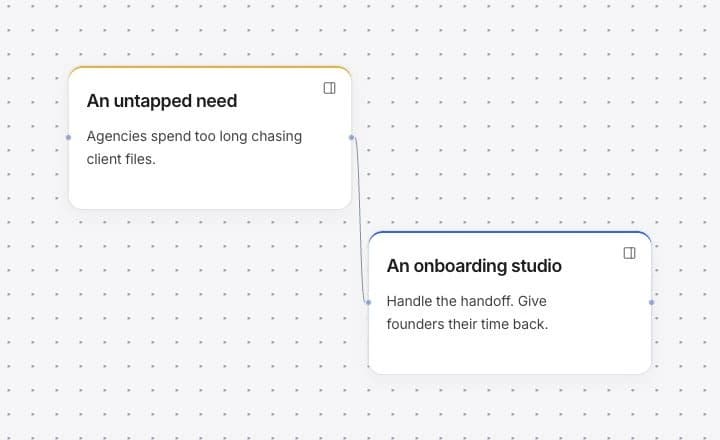
The demo illustrates a possible service and several related questions. The image is a separate creative reference; the connected notes explain the business idea. This agency-onboarding example shows a way to organize material; the mind-map template starts with a central question and three branches for you to adapt.
As the project develops, you can replace a guess with an observation, move the chosen approach closer to the center, and keep another possibility for a later discussion.
One board, different kinds of material
- Central idea
- Could we handle part of client onboarding for small agencies?
- Connected notes
- Audience, possible services, a willingness-to-pay question, and a small pilot to explore.
- Visual reference
- An unconnected illustration that can inform a later conversation about the service's visual style.