 noteboard
Capture text from a public webpage
Paste the URL of a public article or webpage you want to understand. Review the captured main text and source information before generating a map. If capture cannot read the page, supply the text directly; supplied text is labeled separately from an automatic webpage capture.
The URL to mind map workflow is useful when a saved link needs to become part of active thinking. A research article might inform a writing project, an explainer might help you learn a subject, or a project reference might raise a question worth exploring with collaborators.
Decide what you want to learn from the page
Read the captured content, check the wording, and select the sections that matter. Describe the focus in terms of your project: follow an argument, compare recommendations, or collect the unanswered questions. You can edit the text before generating the map.
A webpage to mind map conversion can use the same article in different ways. A general reading map might organize the main themes. A project-focused map might concentrate on one recommendation and the evidence or examples the author gives for it.
Keep your own questions separate from what the article states. That distinction makes it easier to review the resulting notes and explain what you want to investigate beyond the source.
Develop the material beyond the article's outline
Turn the reviewed capture into connected notes, then rearrange the structure as your understanding changes. Add your interpretation, connect a claim to a question, or put a second source beside the part you want to compare.
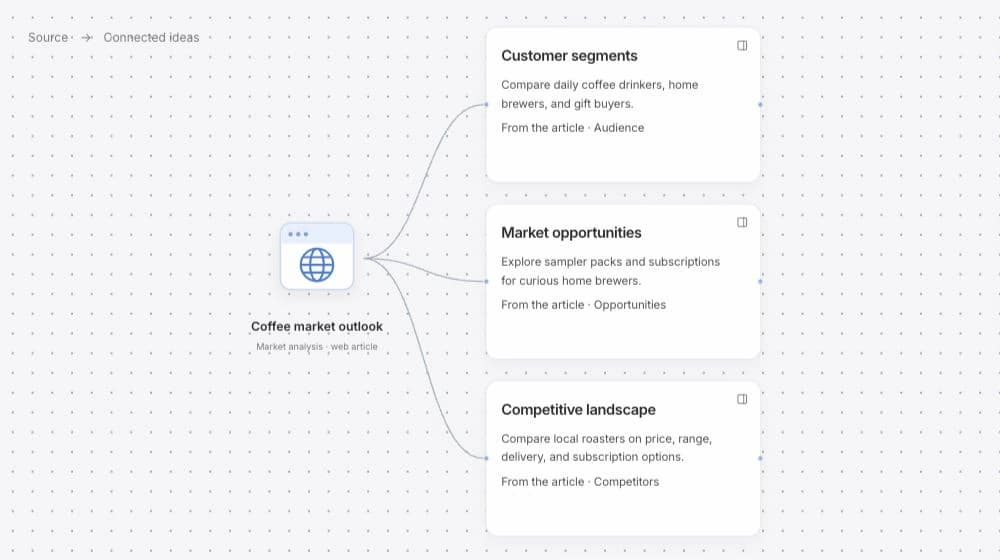
The source card keeps the original URL, reviewed capture, and capture date together. It retains the version used for the map; later changes to the live webpage do not automatically update the saved capture. Select a branch when another AI request would help you explore the implications for your own work.
Example: use an article to prepare a workshop review
Imagine reading an article about making a first visit easier to understand. You want to compare its suggestions with the questions visitors already ask your team. An article to mind map workflow can organize the relevant suggestions without treating all of them as instructions for your project.
Keep the author's points, your observations, and the questions for the team visible as separate notes. This is an illustrative reading example, rather than a claim about a particular article or study.
A source connected to your own question
- From the article
- A recommendation about explaining the first activity before arrival.
- From your project
- Visitors ask whether they need experience and what they should bring.
- Question for the review
- Which details should the confirmation message explain for this particular workshop?